How to Redeem Filmora Coupons
Follow these steps to claim the current Filmora deals on the official Wondershare shop:
Step #1 Open Filmora through our deal link so you land on the official pricing and checkout pages.
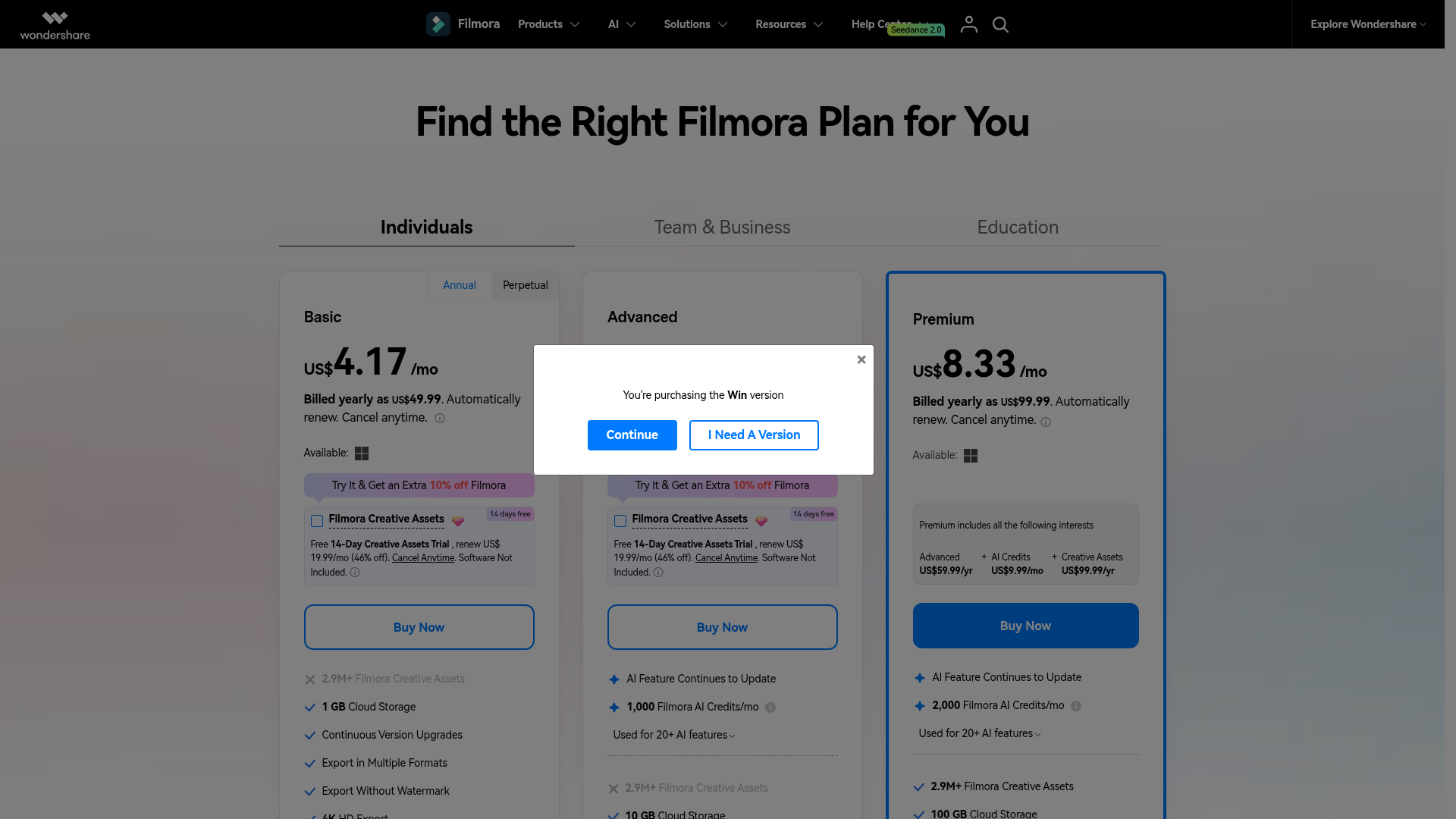
Step #2 Choose Basic, Advanced, Premium (annual), or Perpetual. Confirm Windows or Mac if the site asks.
Step #3 Look for the on-site “Try It & Get an Extra 10% off Filmora” offer before you pay — that is the verified discount shown on Filmora’s own pricing page today. There is no separate coupon code field for this offer.
Step #4 Complete checkout. Filmora includes a 30-day money-back guarantee subject to Wondershare’s refund policy.
Why Use Filmora?
Filmora (by Wondershare) is a beginner-friendly video editor for Windows and Mac with a deep effects library and a growing set of AI tools. It sits between simple consumer apps and heavier NLEs — useful for YouTube, social shorts, course videos, and client deliverables without a steep learning curve.
- Timeline editing with magnetic timeline, multi-camera, keyframes, and motion tracking
- AI tools (on Advanced/Premium) for text-to-video, speech-to-text, AI music, object removal, and more
- Millions of Creative Assets when you add that library or take Premium
- Screen recording, chroma key, LUTs, and auto reframe for social formats
- 30-day money-back guarantee on purchases (per Wondershare refund policy)
If you are comparing consumer editors, also read our Movavi Video Editor review and the Mac-focused Movavi for Mac review. For publishing the finished video, see YouTube vs Vimeo.
Also Read:
Filmora Coupon FAQs
Does Filmora have a working coupon code right now?
Filmora's official pricing page currently shows an on-site Try It offer for an extra 10% off. There is no separate public coupon code like FILMORA50 verified on the brand site today. Ignore third-party pages that still advertise 50% off unless you can see that discount on filmora.wondershare.com at checkout.
What is the cheapest way to buy Filmora?
The lowest paid Individual plan is Basic at $49.99/yr. Stack the on-site 10% Try It offer when it is shown at checkout. If you only need Filmora 16 and do not want renewals, compare that discounted annual total with the $79.99 perpetual license.
Does the Filmora free plan need a credit card?
You can download and use Filmora's free features without paying. Free exports include a watermark. Paid plans and the optional Creative Assets trial follow Wondershare's checkout rules for billing.
What is Filmora's refund window?
Wondershare states a 30-day money-back guarantee on products, subject to the official refund policy on wondershare.com/refund-policy.html. Keep your order email if you need to request a refund.
Do Filmora subscriptions renew at the same price?
Annual Basic, Advanced, and Premium plans auto-renew. Filmora notes you can cancel anytime. Promotional first-term pricing is not guaranteed at renewal — check your Wondershare account before the renewal date.
Can I combine Filmora discounts with other offers?
Use only offers you can see on Filmora's own shop. The Try It 10% banner is an official on-site promotion. Do not stack random third-party codes that are not accepted at Wondershare checkout.
Final Thoughts on Filmora Coupon Discounts
As of 13 Oct 2026, the honest Filmora deals are the published Individual prices (from $49.99/yr) plus the official extra 10% Try It offer — not the outdated 50% OFF claims still floating around older coupon pages. Pick Basic for straightforward watermark-free editing, Advanced if you need monthly AI credits, Premium for the bundled Creative Assets path, or Perpetual if you want a one-time Filmora 16 license.
Claim the current deal below, then confirm the final price on Filmora’s checkout before you pay.
