If your Shopify store gets visitors but not enough orders, the fix usually isn’t more traffic. It’s finding where shoppers drop off and fixing that step first. Shopify already gives you most of the data you need, for free, inside the admin.
This guide shows you how to increase Shopify sales with 10 practical tips, each tied to a report or a free Shopify app you can open today. Start with the funnel report, pick the weakest step, and work through the matching tips below.
Start With Your Shopify Data
Go to Analytics > Reports in your Shopify admin and filter by the Behavior category. Three reports do most of the work:
- Conversion rate breakdown: a funnel of all sessions, sessions with cart additions, sessions that reached checkout, and sessions that completed checkout. The biggest drop between two steps is where to start.
- Searches with no results and Searches with no clicks: the exact words shoppers typed when they couldn’t find what they wanted.
- Sessions by landing page and Sessions by device: which pages bring people in and whether mobile visitors convert worse than desktop.
Note the date range you’re looking at, change one thing at a time, and compare the same report a few weeks later. That’s what turns these tips into data-driven decisions instead of guesses.
10 Practical Tips to Increase Shopify Sales in 2026
1. Capture Emails With Well-Timed Pop-Up Forms
Most first-time visitors won’t buy on their first visit, so give them a reason to leave an email. The free Shopify Forms app lets you add pop-up and inline forms, attach a discount, and tag new subscribers. Delay the pop-up until a shopper has browsed for a bit, and keep it off the cart and checkout pages so it never interrupts someone who is already paying.
2. Automate Welcome, Browse and Abandoned Cart Emails
Automated emails sell while you sleep. Shopify Messaging (formerly Shopify Email) is free to install, includes your first 10,000 emails each month, and then starts at $1 per 1,000 emails. It also handles SMS and WhatsApp campaigns. Set up these automations first:
- A welcome email with the discount you promised on the form.
- Browse abandonment for people who viewed a product but didn’t add it to the cart.
- Abandoned cart and checkout reminders.
- Post-purchase follow-ups that suggest a related product.
- Win-back emails for customers who haven’t ordered in a while.
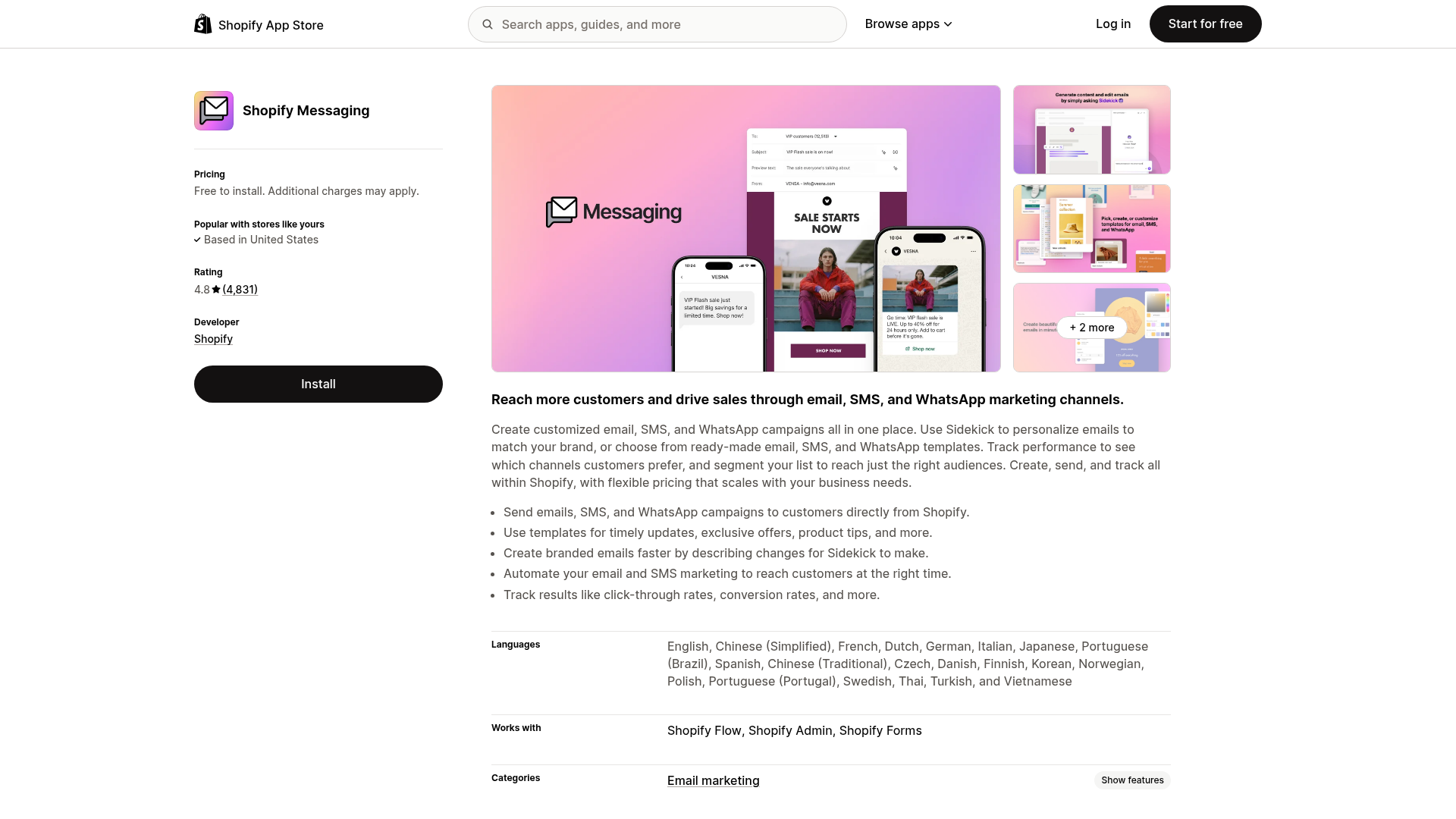
Source: Shopify App Store listing for Shopify Messaging, captured 10 Nov 2026
Segment your list (first-time buyers, repeat customers, cart abandoners) and watch unsubscribe rates so you don’t email too often.
3. Recover Abandoned Checkouts
Shopify counts a checkout as abandoned when a shopper enters their email but doesn’t pay within ten minutes. Open Orders > Abandoned checkouts to see them, then turn on the abandoned checkout automation under Apps > Messaging > Automations and pick how long to wait before the email goes out. The Abandoned checkouts emails report then shows sessions, orders and sales recovered by those emails. Shopify deletes abandoned checkouts after three months, so review them regularly.
The checkout timeline also shows payment failures such as declined cards or a discount code that no longer works. If the same reason keeps appearing, fix it at the source.
4. Fix the Pages That Bring In Traffic
Use Sessions by landing page to find your top entry pages, then make each one convert: a clear headline, one obvious call to action, real product photos, copy that answers the buyer’s main question, and visible shipping and return details. If you build funnels outside Shopify, our guide on how to integrate ClickFunnels with Shopify shows how to connect the two.
5. Speed Up Your Store, Especially on Mobile
Shopify’s web performance reports track the three Core Web Vitals: Largest Contentful Paint (loading), Interaction to Next Paint (responsiveness) and Cumulative Layout Shift (visual stability). Compare them with Sessions by device. If mobile converts much worse than desktop, compress large images, remove apps you no longer use, and test your theme on a real phone.
6. Make Search Work Like Your Best Salesperson
Shoppers who search usually know what they want. Check Searches with no results each month and fix the gaps: add the words customers use to product titles and descriptions, or create synonym groups in the free Shopify Search & Discovery app. The same app lets you set filters and boost the products you want shown first in search results.
7. Upsell and Cross-Sell With Product Recommendations
Search & Discovery also lets you choose related and complementary products for each product page. Recommend sensible add-ons, such as a case with a phone or refills with a starter kit, rather than a more expensive version of the same item. The Product recommendation conversions over time report shows click, add-to-cart and purchase rates, and Product recommendations with low engagement lists best-sellers whose recommendations need work.
8. Show Real Social Proof
Product reviews, customer photos and user-generated content reassure first-time buyers. Ask for reviews in your post-purchase emails, show them on product pages, and reshare customer posts with permission. Only display real reviews and real follower numbers; made-up proof backfires when shoppers notice.
9. Reward Loyal Customers and Referrals
Repeat customers already trust you, so give them a reason to come back: points, store credit, early access, or a discount for referring a friend. A referral program also turns happy customers into a sales channel. If you’d rather pay creators or bloggers per sale, see our step-by-step guide to setting up an affiliate program for your Shopify store.
10. Answer Questions With Live Chat
An unanswered question about sizing, shipping or returns is a lost sale. The free Shopify Inbox app adds chat to your storefront, with an optional AI agent that learns from your catalog and policies, and built-in analytics such as orders assisted. Turn on business hours and quick replies so shoppers know when to expect a person. If you need a standalone chat tool across several sites, our LiveChat coupon code page covers its current plans and trial.
How to Increase Shopify Sales FAQs
Which Shopify report shows where my store loses sales?
The Conversion rate breakdown report under Analytics > Reports shows a funnel of all sessions, sessions with cart additions, sessions that reached checkout and sessions that completed checkout. The biggest drop between two steps is the best place to start.
Is Shopify Messaging free for email marketing?
Shopify Messaging is free to install and includes your first 10,000 emails each month. After that, pricing starts at $1 per 1,000 emails, billed in USD.
When does Shopify count a checkout as abandoned?
A checkout is counted as abandoned when a customer enters their email but doesn't complete payment within ten minutes. Shopify keeps abandoned checkouts in the admin for three months.
How can I add product recommendations to my Shopify store?
Install the free Shopify Search & Discovery app to choose related and complementary products for each product page, then track results in the Product recommendation conversions over time report.
Does Shopify have a free live chat app?
Yes. Shopify Inbox is free and adds storefront chat with an optional AI agent that answers questions using your catalog, inventory and policies.
How do I find products shoppers can't find in my Shopify store?
Open the Searches with no results report in Analytics. It lists the terms customers searched that returned nothing, so you can update product titles and descriptions or add synonyms in Search & Discovery.
Final Thoughts on Increasing Shopify Sales
You don’t need a dozen paid apps to grow sales. Shopify’s own reports show where shoppers drop off, and free tools like Shopify Forms, Messaging, Search & Discovery and Inbox cover most of the fixes. Pick the weakest step in your funnel, try one or two tips from this list, and check the same report again in a few weeks to see what actually moved.
